How do I find out where my Allocated stock for a particular product is?
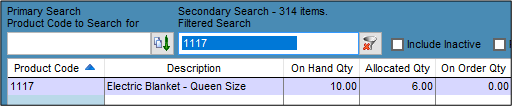
Solution
Step 1
Run the Product Integrity Check first form Products / Utilities / Check Product Integrity.
Step 2
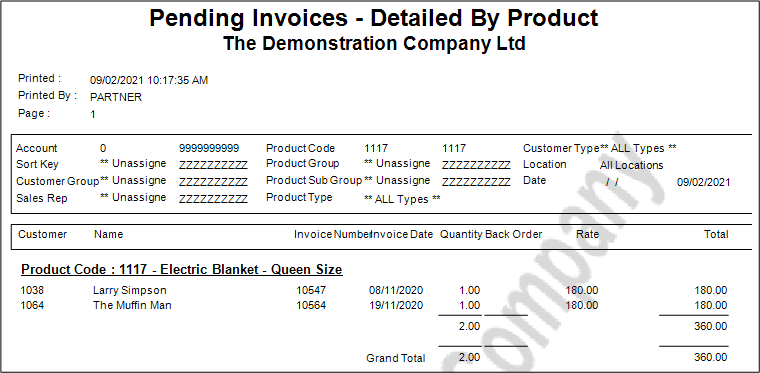
Go to Invoices/Quotes / Reports / Pending Invoices By Product. **If your Product is a component of a Kitset see below
Enter the Product Code as necessary; delete out the 'from' date so it will search all Pending Invoices. If there are forward-dated invoices then change or delete the 'to' date as well.
In this example there are two Pending Invoices with two Electric Blankets.
Step 3
Go to Products / Reports / Product Transactions - Pending.
Use the report parameters as for step 2.
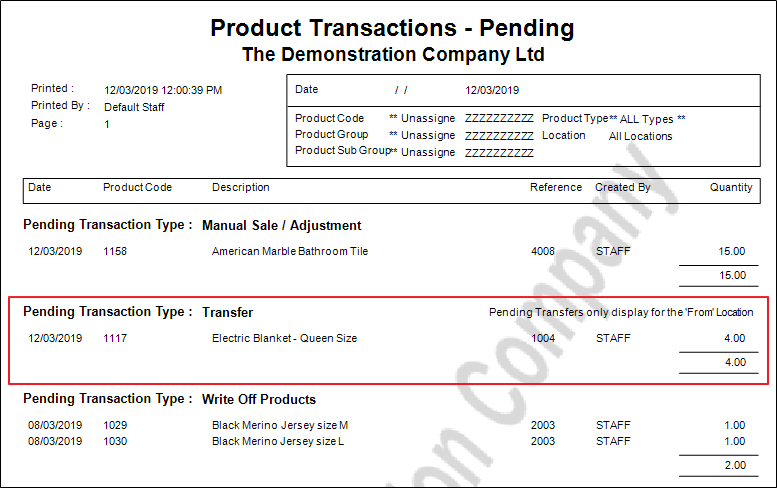
We can see it is a transfer, go to the Transfer screen to locate the Saved Transfer and recall.
Using the above steps we have now found all 6 Allocated items.
If the Product is a component of a Kitset
**There is an inconsistency in the pending invoices report that does not show the components of the Kitset set as "use when Invoiced" when the Pending Invoices report is run. It is necessary to check the Kitset tab to see if the Product has been used in any Kitsets.
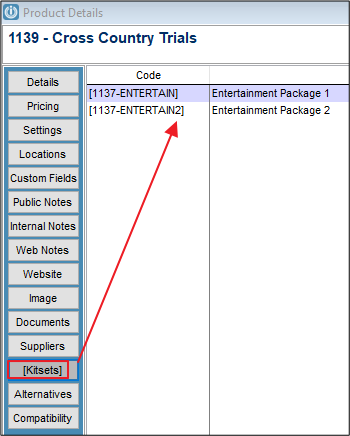
If it has, run the Pending Invoice Report again looking for the Product Code shown in this screen.
Comments
0 comments
Please sign in to leave a comment.