Under POS Defaults is an option for Pole Display setup.
To set this up you will need to plug in the display and see which Communications Port it has been installed into. Once this has been established then select the Port as below.
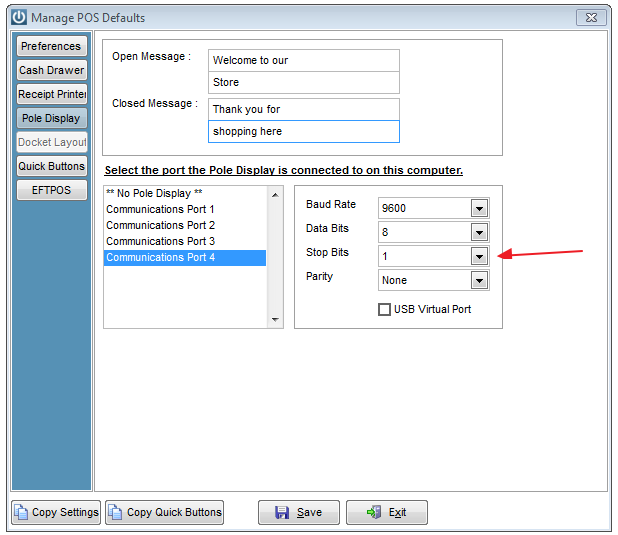
Change the Stop Bits to 1 and enter a Opening and Closing Message if required.
Save.
Using the Quick Buttons will bring the Products up onto the display. If entering the Product Code then tab over to the rate to see them on the display.
Comments
0 comments
Please sign in to leave a comment.