We have stopped using a price level, how do I remove it so no one selects it again?
Solution
To start off print a report showing all Customers that are Currently set up on that Price Level. Any Customers not changed to another Price Level will be sold products at a zero value. This is under Customers / Reports / Customers by Price Level.
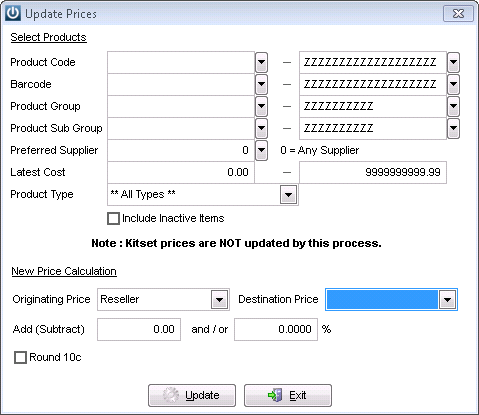
If you are not going to use this Price level again, go to Products / Update Price Levels and set your Originating Price Level and select in the Destination Price one of the empty price levels. This will remove all of the prices in the Price level.
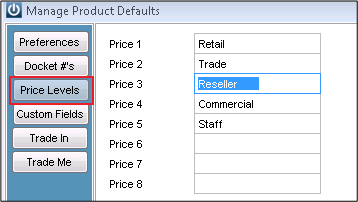
Then go to Admin / Defaults / Manage Product Defaults and Remove the name of your Price Level. In this example I removed the highlighted Reseller.
The Final Step is to untick these in the Change Columns display  in the Products screen and you will only see the active Price Levels.
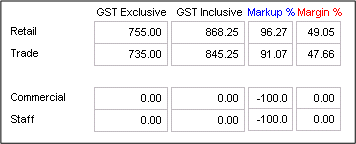
On every Product the four active Price Levels are showing.
Comments
0 comments
Please sign in to leave a comment.