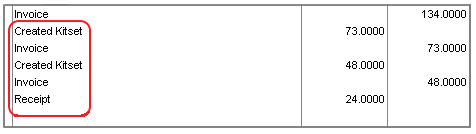
My Kitset that is set "to use when Received into Stock" has come in as a Receipt not as a Create Kitset. How has this happened and how do I fix this?
Solution
Unfortunately we do not know what is causing the change during the Receipt of the Kitset. It could be opening a website or series of keystrokes. But if you can recall anything that was different while doing the Receive Products will be helpful in pinning down the cause.
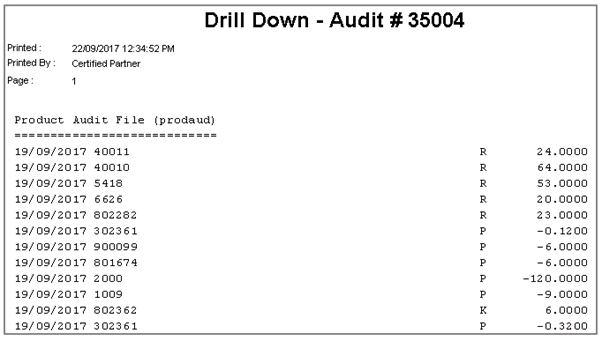
To identify, right click on the Receipt to see the Audit and check all transactions, any with the letter "R" have not created correctly. Those with a "K" are correct (K = Kitset).
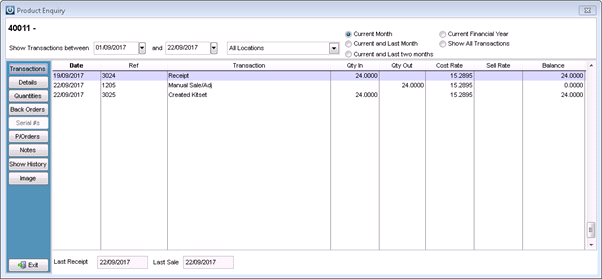
To repair, go to Products / Manual sale adjustment, enter in the Products that have been created incorrectly. Make sure to date this the same date as the original Transaction.
Process.
Once this is done, do another Receive Products for the same Kitsets. Make sure to date this the same date as the original Transaction. They will be created correctly this time.
Run a Product Integrity Check to confirm the balance of the stock.
Comments
0 comments
Please sign in to leave a comment.