How do we set up the Manage Email Defaults for Outlook?
Email Defaults are set up from Admin / Manage Email Defaults
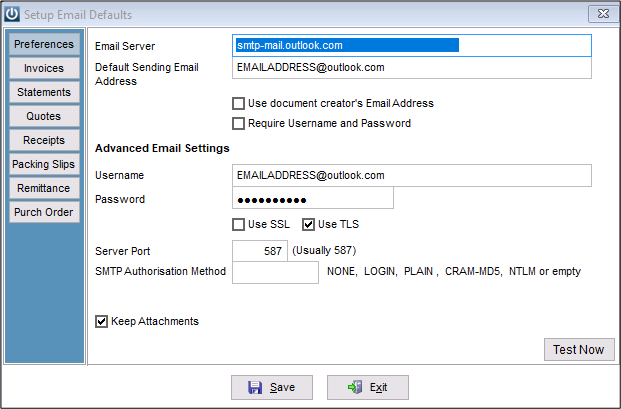
Email Server: smtp-mail.outlookcom
Default Sending Email Address: the Outlook.com address you are setting up
Username: your Outlook email address
Password: your Outlook password
Tick Use TLS
Server Port: 587
SMTP Authorisation Method: blank
The example is entered below
Select Save
Open and select the Test Now button to ensure that the entered settings work correctly.
Comments
0 comments
Please sign in to leave a comment.