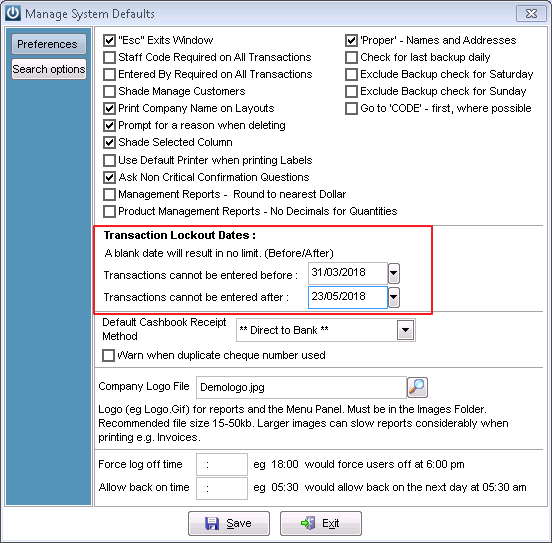
Lockout dates are used to prevent entries being added into periods that have already been closed off.
Lock out dates are entered in under Admin / Defaults / Manage System Defaults.
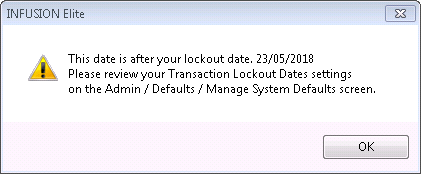
When entering a transaction that is outside the lockout date, a warning will appear, as below. This will also detail where to go to change the lockout date.
Why use lockout dates?
The use of lock out dates will prevent transactions being entered that are dated incorrectly and that will need to be reversed.
Currently the lockout dates do not check the Bank Deposit Date, adding products to a job using the calendar or the GST Close Off Date see ticket #13247
Comments
0 comments
Please sign in to leave a comment.