I am using a back up of Infusion for testing, can I change the colours to identify that this is a training / old / archived data set so it is not used by accident?
Solution
Unfortunately we are unable to change the colours of Infusion.
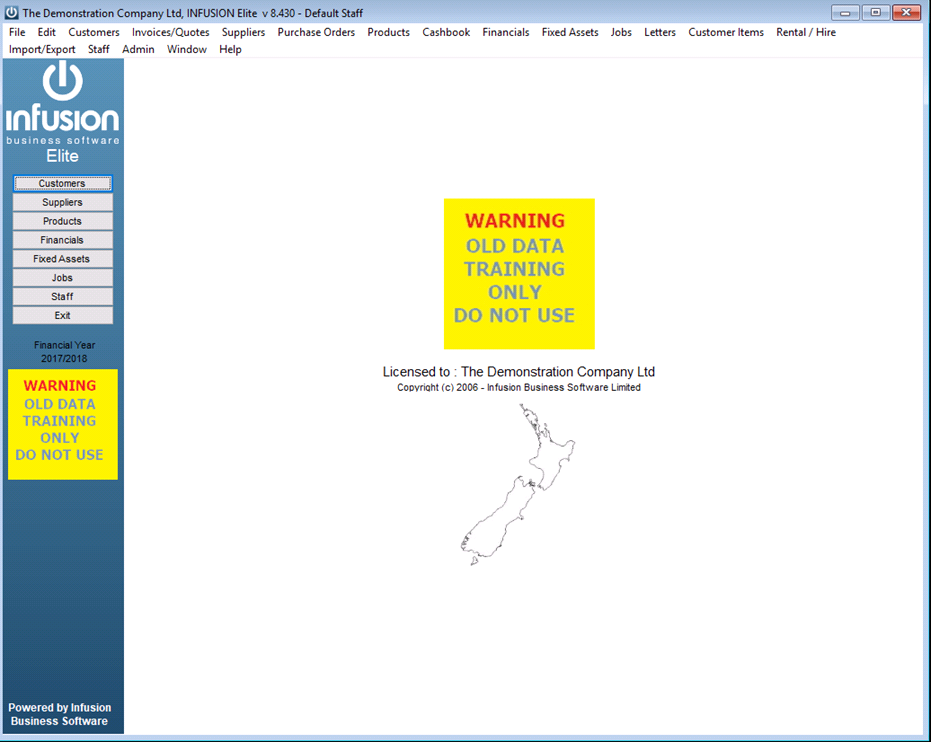
But, the easiest way to identify a non-current data set is to change the company logo for the side menu which is visible at all times.
You can use any .jpg, .gif, or .png file you have available but if you want to create a meaningful one, use an image editor.
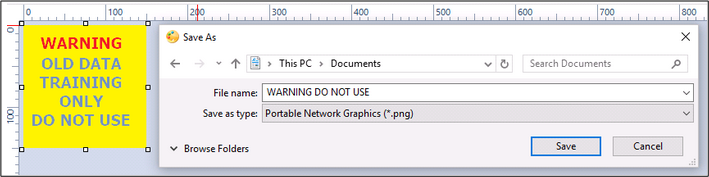
Below is shown for PicPick but any free Graphics editor should be able to create something similar.
File / New
Select Canvas size 150px x 150px
Ok
Create a text box by Insert Text
Type the text you require (double click in the text box)
File / Save As
Select png (or jpg or gif) and save to a known location and add a copy to the Infusion Images Folder.
Within Infusion:
Go to Admin / Defaults / System Defaults and change the logo file to the file you have just created.
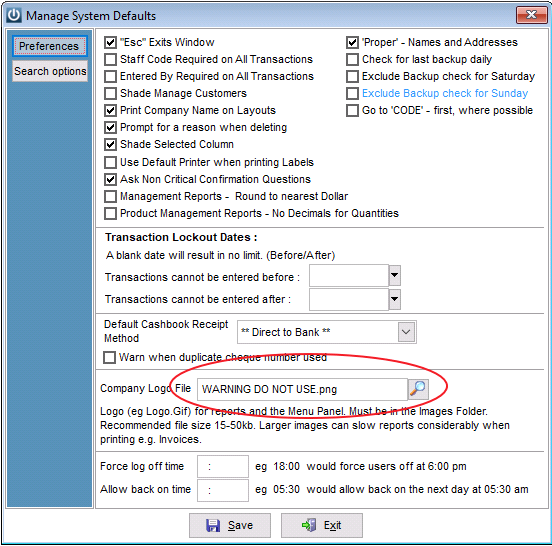
These instructions are to have the logo appear on all reports and on the left of the under the Financial Year.
To change the main logo – check instructions here:
Comments
0 comments
Please sign in to leave a comment.