With the two options to enter Deferred Payments, Supplier No Products or from the receipt of a Purchase order. Currently the system handles the recording and reporting of these differently.
There is a ticket in the system for this to be corrected. Until this is done it is recommended that all Deferred Payments are entered via the Purchase Order system.
From Purchase Order
The dates are recorded in the Deferred Payments screen
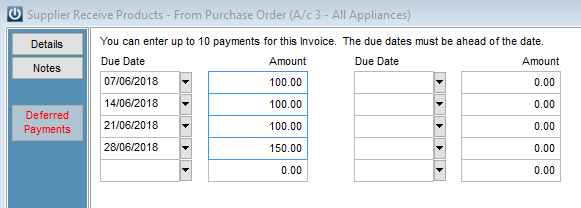
These are the dates that are recorded into the SUPPOPEN record and can be viewed by right clicking on the Supplier Invoice and Viewing the Audit.
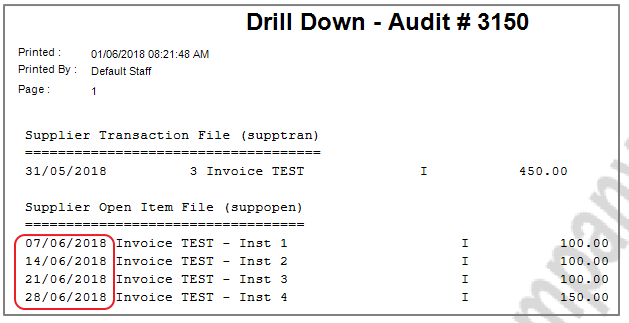
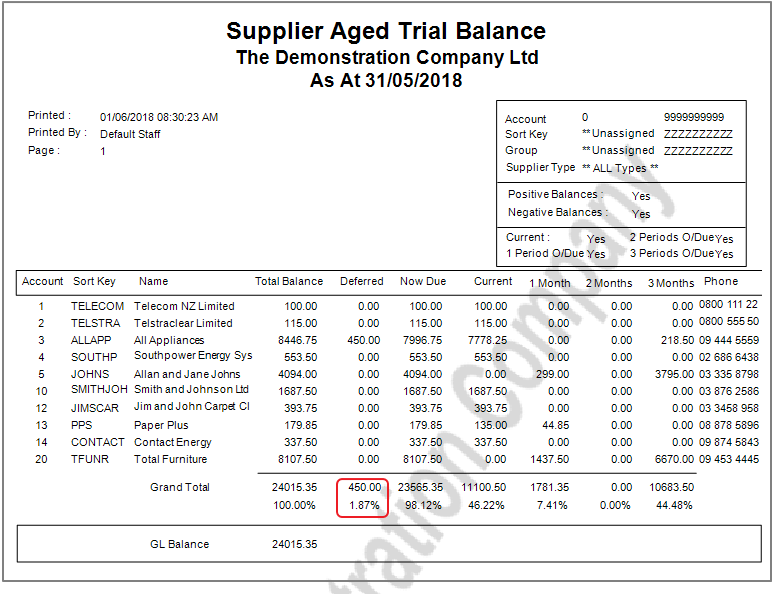
See below for the Aged Trial Balance.
Supplier No Products
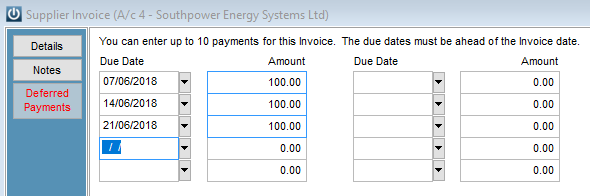
If the Deferred payments details are entered into the Supplier No Products transactions screen,
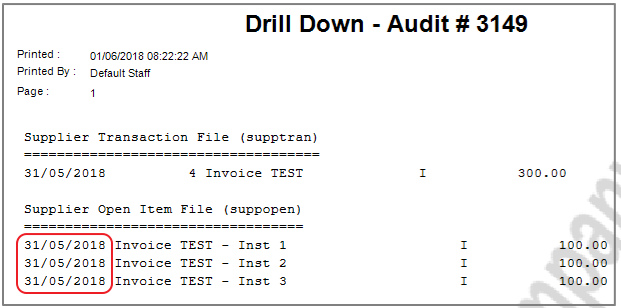
When we right click to have a look at the Audit, the SUPPOPEN record has recorded the Invoice date, not the Due Date of the payments.
Reporting
For the Deferred payments entered in from the Purchase Order Screen, these will appear correctly in the Deferred Total column. Those entered from the Supplier no Products area, will not appear.
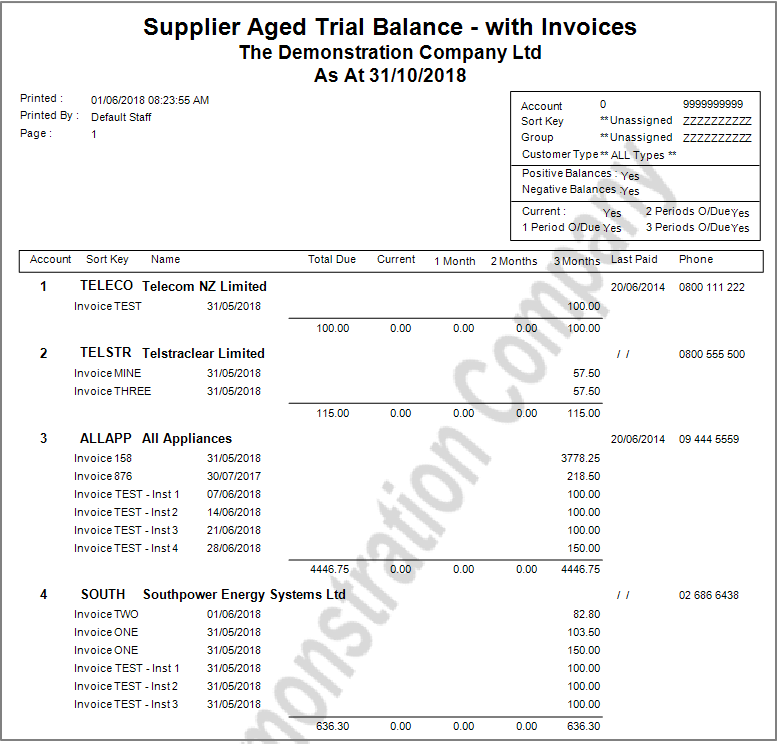
By by running the Supplier Aged Trial Balance - With Invoices report we can see the dates that the invoices are due. As we can see the Invoices for Southpower Energy in the example are all incorrect
The Supplier Due by Date Period also reports by the correct due dates.
Comments
0 comments
Please sign in to leave a comment.