What options do I have to Authorise my Supplier Invoices?
Solution
Under Admin / Defaults / Manage Supplier Defaults there is a Flag.
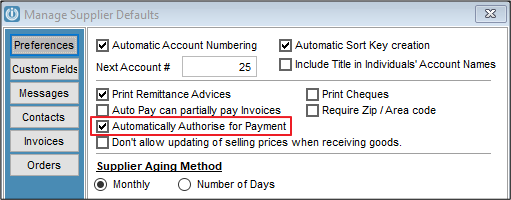
If ticked it will Automatically tick all Supplier Invoices for payment.
If unticked the entered Supplier Invoices need to be manually authorised by going to Supplier Enquiry - Outstanding.
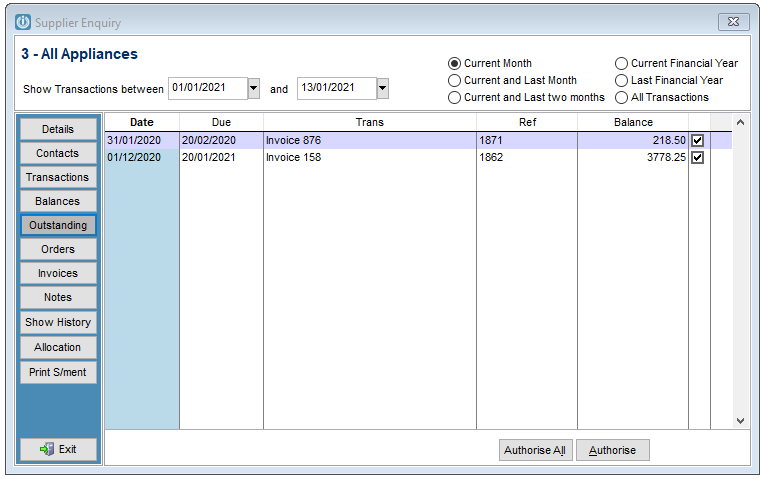
Using the Buttons at the bottom to either Authorise all or selected invoices, these will then appear in the Invoices tab and on the Supplier Payment Screen.
Unticking the invoices will remove them individually.
A report can be produced Suppliers / Reports / Invoices not Authorised for Payment
Comments
0 comments
Please sign in to leave a comment.