We have some Purchase Orders with the Status of All Received in our Manage Purchase Orders screen. What are they and how do we deal with them?
Solution
These are Orders where Product has been receipted into Infusion but the Supplier Invoice has not been processed against the original Packing Slip. For a complete list run the Uninvoiced Received Purchase Orders report from Purchase Orders / Reports.
When the Supplier Invoice arrives, open the Purchase order and enter the details on the Supplier Invoice.
The Invoice Total and GST Inclusive fields will remain red until the two figures match. for small differences use the rounding box.
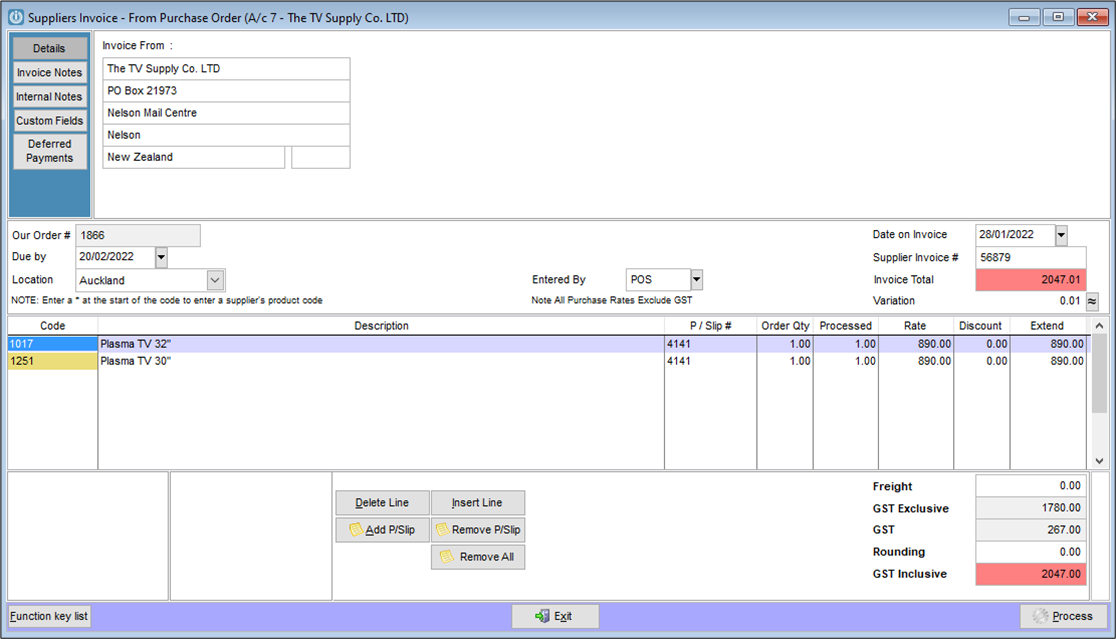
Process the completed order.
Supplier Invoice never arrived or has processed as Supplier No Products Invoice
Ticking the Include Completed, Include Invoices and Include GL Invoices boxes at the top of the Purchase Orders screen as below and searching for the Order Number will also display related purchase orders and invoices. In the example you can see that the goods have been receipted in through the Purchase Order (ie the first line) while the Invoice has been processed using a G/L Invoice (ie Supplier Invoice - No Products).

Review the GL Invoice and note which GL Account(s) the Purchases was coded to.
Open the Purchase Order again and enter the GL Account Code on the last line with the Quantity as -1. The rate will be the GST Exclusive price. Multiple lines may be necessary if there were multiple lines on the Supplier Invoice - No Product. The total of the invoice must be zero. eg:
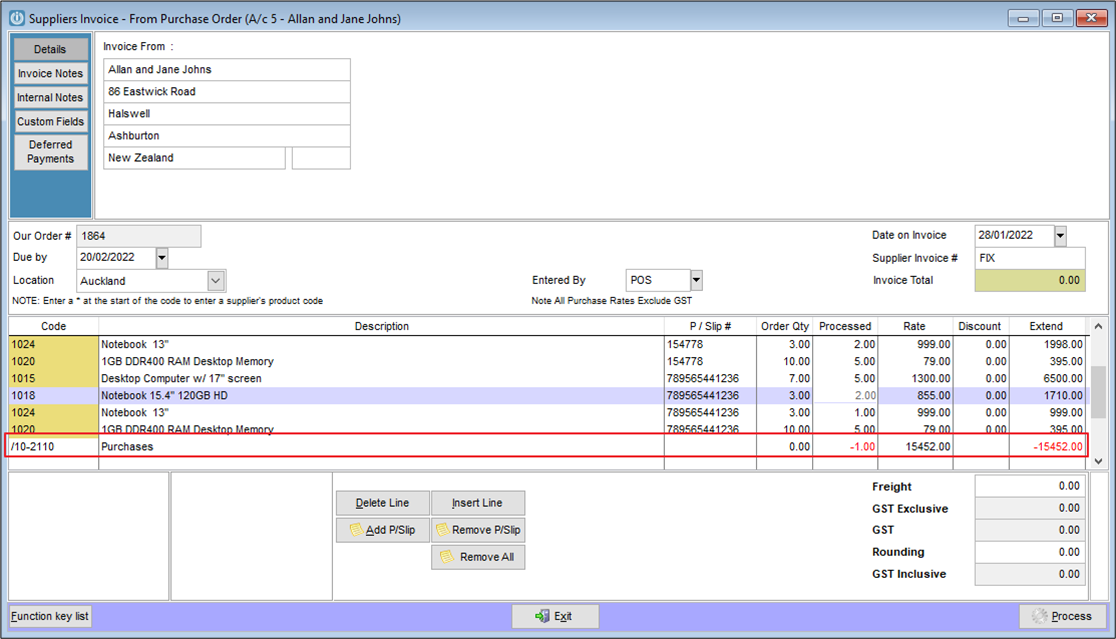
Select Process to complete the Invoice.
Depending on the version a prompt that the invoice quantity may not be zero may appear. Add in the Misc product code with the order and receive quantity as 1 and the rate being 0.00.
Comments
0 comments
Please sign in to leave a comment.