If I don't use purchase orders, how do I enter a Supplier Invoice with Products?
Solution
Prior to V8.215 users were able to use Receive Invoice from Order. Following the change to the Manage Purchase Order Screen this is no longer available. Users are now required to use the New / Receive button at the bottom of the Manage Purchase Orders screen.

Choose the Supplier and the Order Type.
Then enter the necessary details to match the Supplier Invoice, ensuring that the Received By date has been entered correctly. The Invoice Total must match the GST Inclusive amount. If they don't match, the figures appear in Red boxes.
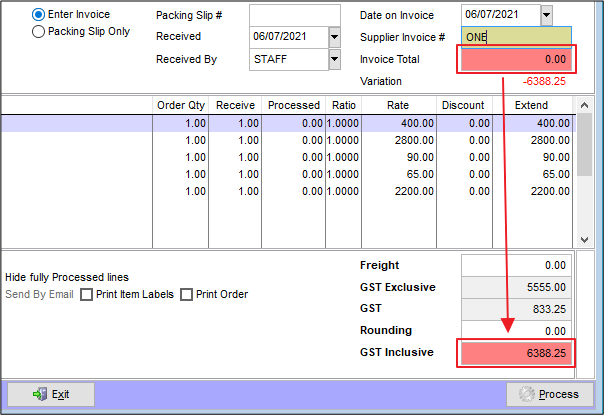
Once complete select Process.
Comments
0 comments
Please sign in to leave a comment.