When previewing a report, and selecting Save as XLS the file extension of .XLS is used by default.
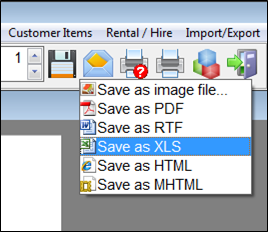
To change this, select the configuration option from the report preview toolbar

Select the XLS tab in the Report preview setup window that appears. Here, you can select the default file extension for Excel files:
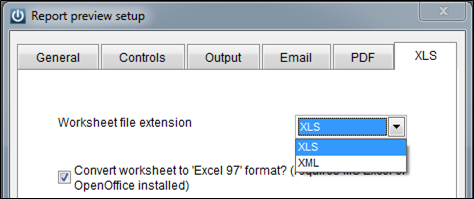
The XML format should only be selected if you don’t used Microsoft Office and instead use an open-source office suite such as OpenOffice or LibreOffice.
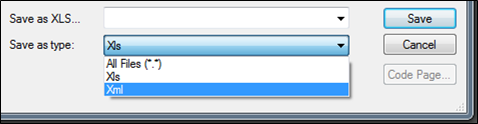
You can also select the file type to export for each report individually when you save the report, using the Save as type option
Comments
0 comments
Please sign in to leave a comment.