When I print my address labels it is missing the last letters are missing, how can I fix this?
Solution
Some label printers will miss out parts of letters, resulting in a label that appears as follows:
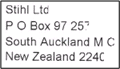
This is caused by an incompatibility between the default Print Processor and the label printer that is being used.
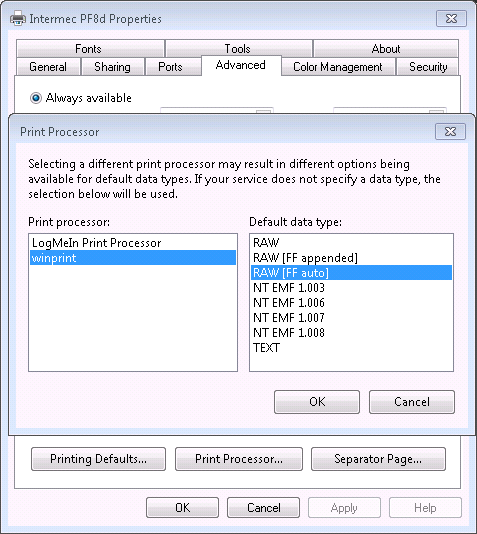
To fix it, go to Printer Properties / Advanced / Print Processor and change the default from ‘RAW’ to ‘RAW [FF auto]’. Then test to confirm the issue is resolved.
Comments
0 comments
Please sign in to leave a comment.