We have changed our printer and when we print any of our Invoices or Customised layouts the systems crashed.
Solution
Please open the Customised layouts, go to File and open Page Setup, if the Save printer environment flag is ticked and the printer is not a printer that is currently available then please untick the flag and select okay.
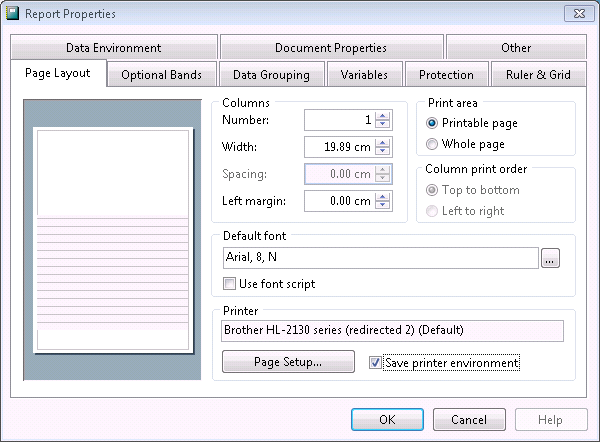
Save and exit the report and repeat for all other reports that this is happening to.
You will need to make the relevant printer the Default printer and open the relevant layouts again and tick on the Save printer environment flag. Repeat as necessary.
Don't forget to change the Default printer back to normal.
Comments
0 comments
Please sign in to leave a comment.