The Infusion icon on the desktop when clicked shows The Demonstration Company and any company data files.


1. Right mouse click on the Infusion icon on the desktop.
2. Select Properties
3. In the Shortcut tab adjust the Target by adding the data file you would like
the icon to open on. Eg. DATA0001 (this must be in capitals or another company will be created)
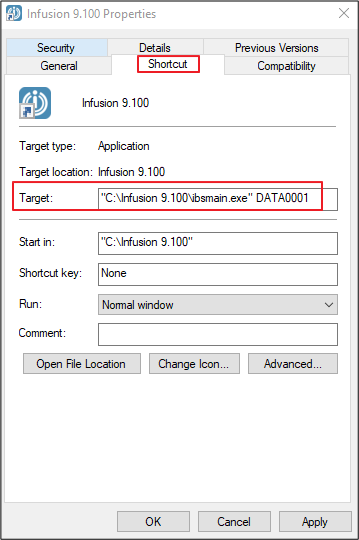
4. Click Apply
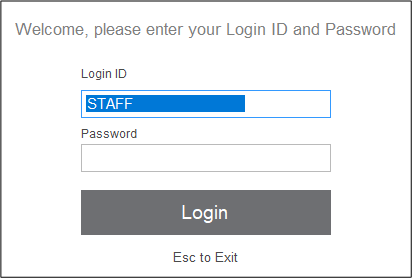
5. Now when you select the Infusion icon on your desktop you will go directly to the login screen for the specified data file.
Comments
0 comments
Please sign in to leave a comment.