If you would like to change the number of copies printed of a document, it can be done in any of the following locations
Infusion Defaults:
Admin / Manage Invoice Layout (Check for the relevant layout)
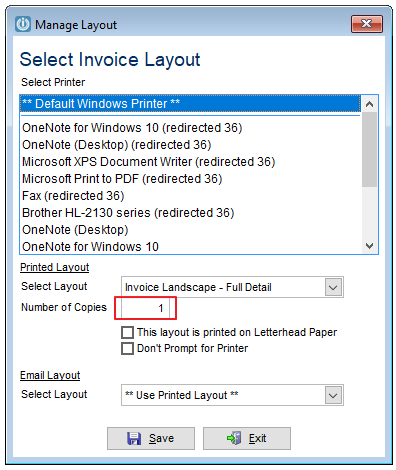

If it is a POS layout check these as well. Check below for instructions to check in Command Mode
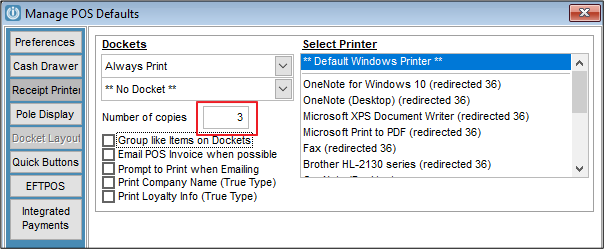
Printer Hardware:
Control Panel / Devices and Printers
Customer Report:
Help / Report / Label Editor
Command Mode:
If there are a large number of POS users:
Use POSDATA
Tab to Doccopies and check and change if necessary.
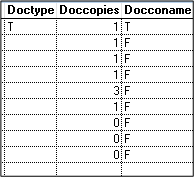
See here to Modify on the Report
Comments
0 comments
Please sign in to leave a comment.