How can I create new or edit the existing Standard Descriptions or Custom Text?
Solution
Custom Text or Standard Descriptions are used to store text which is used on Invoices, Jobs, Orders and all text and instruction fields. Rather than retyping the information each time, it can be typed once, stored and recalled as needed by selecting F4 or selecting the Insert Standard Description option from the bottom left of the Text box.
This is set up in Admin / Settings / Other / Manage Custom Text (Standard Description)
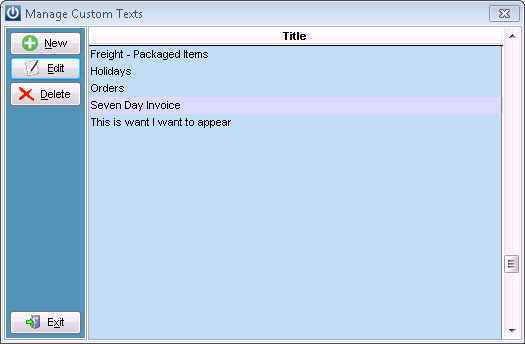
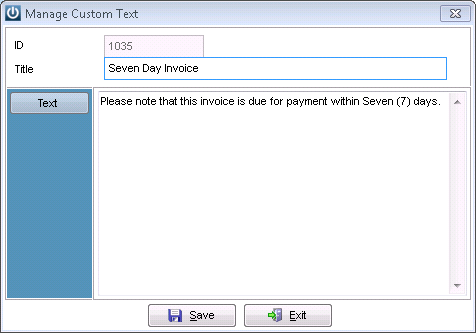
It is then recalled when you see  anywhere in the system.
But, remember to give them a Title or there will be a lot of empty spaces at the top of the insertion box.
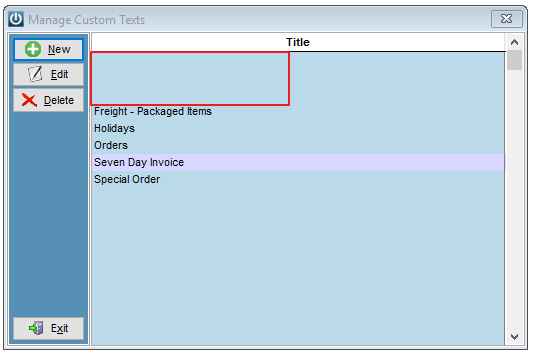
The Titles or Descriptions appear in alphabetical order when recalled.
See Products / Reports / Standard Description Listing for a report on all of the Standard Descriptions that are recorded.
Comments
0 comments
Please sign in to leave a comment.