Demo data was upgraded in Version 8.310. This includes a date shift function, when the Demo Data is first opened.
Customers:
Alice Smith (1000)
- Alice has a Customer prompt note and another note that does not prompt.
- She has two Delivery Addresses stored.
- There are four other contacts set up under Alice’s account and these can be demonstrated using the Customer Contact Listing Report.
- The following Custom Fields have been set up for Customers:
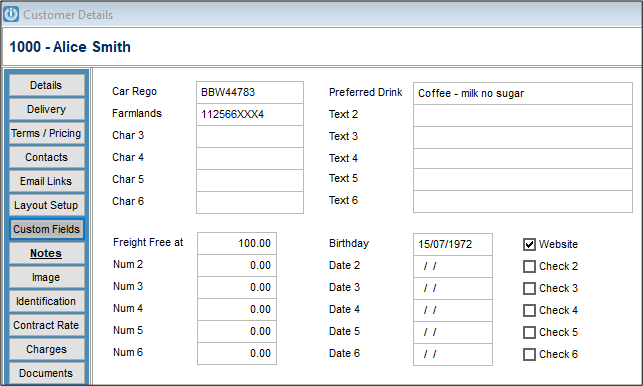
- We have saved an Image of Alice along with a copy of her driver’s Licence and copies of Documents.
- Contract Rates have been set up as below.
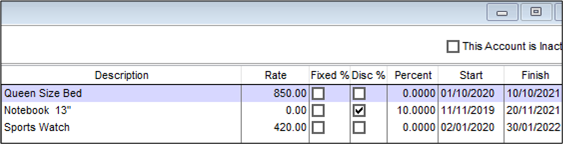
- Alice also has a Sales Budget set up.
- She has a pending Invoice and a pending Estimate.
- Alice is a busy Client and has six jobs set up in Job Management, some of these for the new Store in Oamaru in July (See the Delivery Address) are set up as a Project – See Manage Projects report.
- Job 10123 – Fit out of the shop in Oamaru, the Instructions refer to the document saved to it, so users can see this option working.
- Job 10110 – Different instructions have been loaded as both Instructions and Tech notes.
- Job 10122 – Is linked to Alice’s Lawnmower
- Contact Management has several entries set up for Alice.
Jim Orange (1032)
Has a pending back order
Swift Mowers (1073)
- Is set up as the Head Office account for 1074, 1075. There is a pending invoice 10640 that can be used to demonstrate how a Head Office account works.
- Swift has also been set up as a Supplier and has a Contra account.
- Jobs 10113 to 10116 are all Warranty Jobs set to on charge to Swift Mowers.
Internal Customer (1072)
Has two jobs 10119 and 10121 to demonstrate the use of Workshop administration.
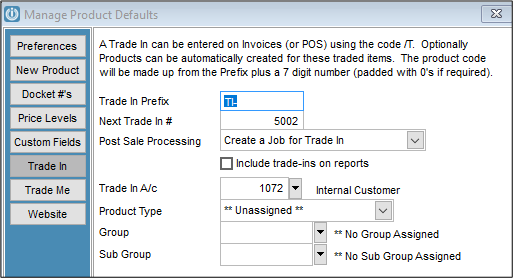
Has been set up for the Trade In account when /T is used.
Suppliers
All Appliances (7)
- Are the Main Supplier.
- Accounts Contact is set up separately and they have Email Links Set.
Freight Services Aust Ply (18)
Are set up as International Suppliers.
Purchase Order Screen
Part Filled Orders can have the Suppliers Invoices entered using the Invoice/Part Fill button at the bottom of the Screen.
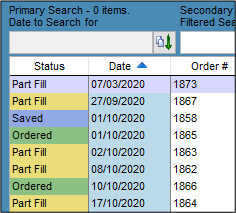
All Orders are Standard
Products
A large variety of new products have been added.
Double Bed (1000)
- Has been set up with the cost and retail prices the same, this is why they appear in red.
- Has an Image
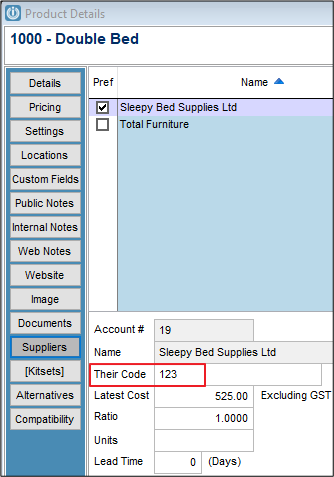
- Default Supplier is Sleepy Bed Supplies and their code is 123. When creating an order *123 can be used instead of 1000.
Ride on Mower 48” Cut (1310) and Rotary Mower 20” Alloy (1311)
- Are both set to track serial numbers.
- They are set up as Customer Items with Services.
- Warranty Details are set against these items as.
Spark Plug NB1454 (1312)
Has Alternatives set up against it
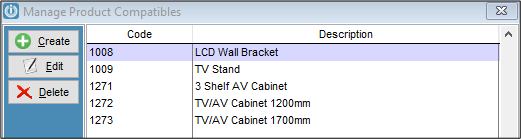
All TV’s have at least the LCD Wall Bracket (1008) set up under the Compatibility tab.
There is a Pricebook for All Appliances included in the Demo Data.
Dining Table and 8 Chairs (1007), Entertainment Package 1, (1137 Entertain) Entertainment Package 2, (1137 Entertain2) are all set up as kitsets.
Cashbook
There are Undeposited Bankings, run the All Undeposited Bankings Report to check the dates for these (These will change with the date shift when opening the Demo Company for the first time)
Also forward date the Bank Reconciliation.
Financials
The GL ID’s have been changed to reflect the changes to the reporting of the Consolidating Accounts. These codes have been changed system wide.
Jobs
- Please refer to notes above regarding Customers with specific Job details set up.
- Log in as AJ or TT to access the Scheduler, there are some set up but these may change depending on the date shift.
Customer Items
- Serial numbers have been added for all applicable items
- ID 6500 Cat Food Supplier Ltd has been set up with a Customer ID to show the use of this feature.
- If the Regular Services report is run this will show two services
Rental Hire
- Insurance information added to the Diggers
- Serial numbers added to the Chainsaws and Diggers.
Staff
- All passwords have been disabled
- Charts are enabled for all Staff members
- Has access to the Job Scheduler
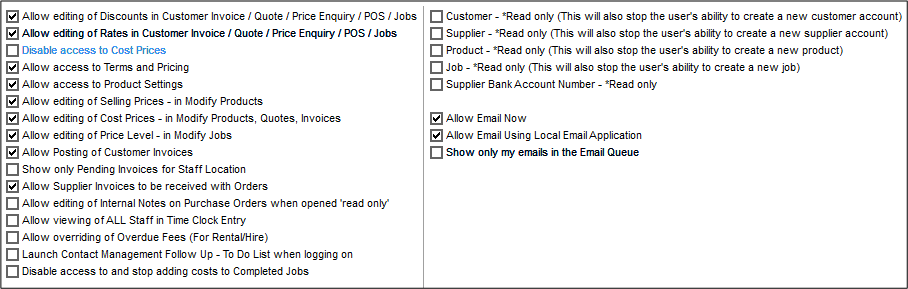
- Groups 1 to 4 are ticked as are the following:
Amanda Jones (AJ)
- Log in as Amanda to access to the Job Scheduler.
- Image set up for Amanda to demonstrate the ID Cards
Ted Thompson (TT)
- Has access to the Job Scheduler
- Has an image
POS
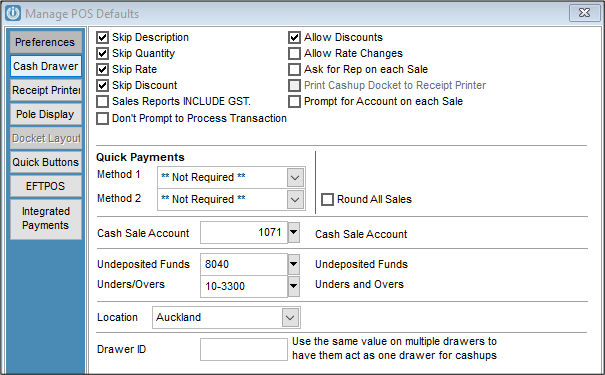
Set POS defaults up as preferred
System wide
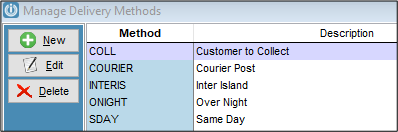
Customer Delivery Methods have been entered
The Show Costs / Profit button shows on all invoices.
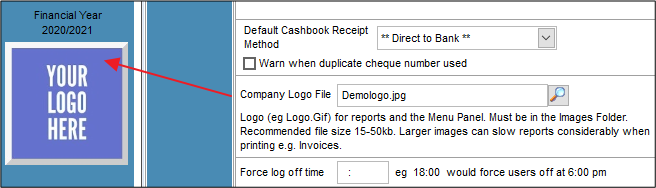
A default logo sits in the Company Logo File and shows on the main left menu and on reports
To fix – ticket 11210
Alice Smith – Supplier Contra Account 505 does not exist
Job 10113 – Warranty Customer 10226 does not exist - Change to 1073 or 1075
Job 10114 – Warranty Customer 10226 does not exist - Change to 1073 or 1075
Comments
0 comments
Please sign in to leave a comment.