Infusion offers two methods of ageing for Suppliers and Customers. Each module can be set on a different method. The two types of aging are Monthly and Daily. These are configured under Admin / Defaults / Manage Customer Defaults or Manage Supplier Defaults.
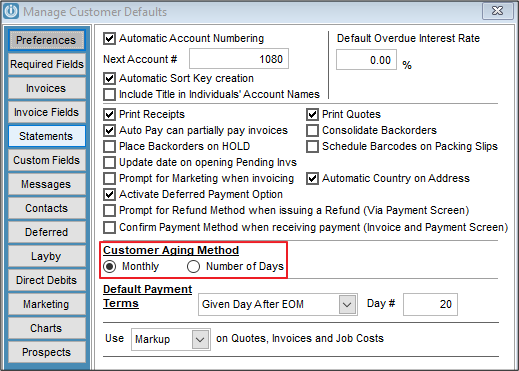
Monthly Aging
This type of ageing rolls the balance between the current and 1 month column on reports and statements at the end of the calendar month regardless of when the transaction was dated in the month.
Example:
Invoices dated on 1/07/2021, 10/07/2021, 31/07/2021 will all move to the one month column on the 1st of August.
Note: This type of ageing is comparative to a system where there would be monthly close off's.
Daily Aging
This type of ageing rolls the balance between current and x number of days when the required number of days have passed since the transaction date.
Example:
An Invoice dated 1/07/2021 with aging set to 7 days will appear in the 7 days column on the 8th of July
An Invoice dated 31/07/2021 with aging set to 7 days will appear in the 7 days column on the 7th of August
Note: This type of ageing can not successfully be used to replicate monthly aging as each month does not have the same number of days
Comments
0 comments
Please sign in to leave a comment.