We have a colour printer and want to print in black and white only, without changing the defaults each time. How do we do this?
Solution
It is suggested that you have a second printer installed that defaults to black & white instead of colour.
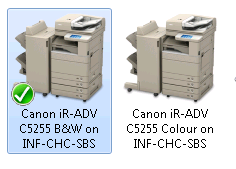
Simply select that as your default printer.
But if you want print selected reports only in black and white, under the Report Label Editor open the layouts that are required to print to the black and white printer.
Go to Page Layout, by selecting the Page Icon on the top of the screen

This allows you to save the current Windows Default Printer as the printer for this layout.
Tick the Save Printer environment flag.
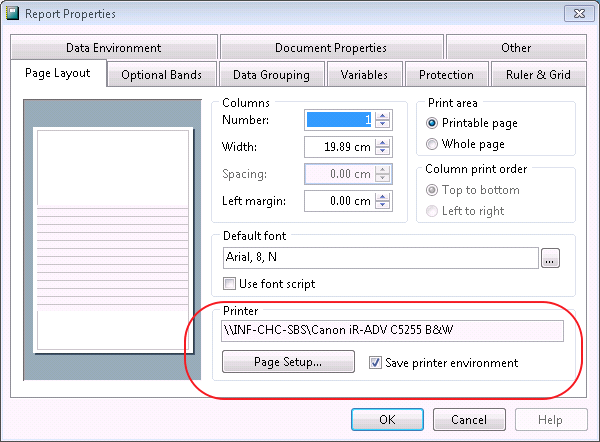
All required documents will then print to this printer once OK is selected.
Comments
0 comments
Please sign in to leave a comment.