Since upgrading to a later version of Infusion 8.415 and above when I try to save a report to excel I am getting a message "File is not in a recognisable format"

Solution
Infusion has two places from where you can select to export to Excel. One is the button on the Parameters screen of the report, the other is to preview the report to screen. By default both will export in XLS format. But from the preview screen, using the save as type you can select the XLM type when prompted for the file name
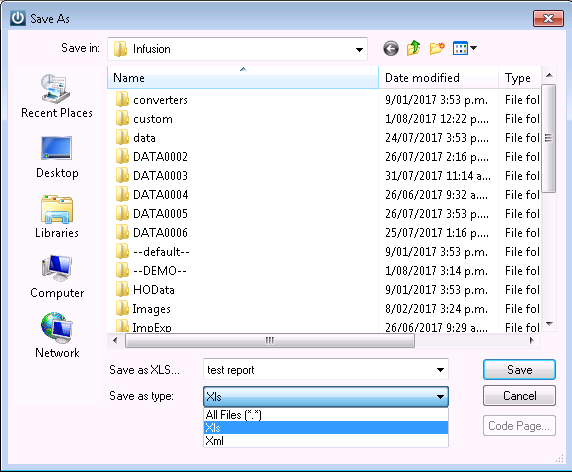
It will then open correctly in Office 2003.
Comments
0 comments
Please sign in to leave a comment.