My backup size is increasing and the backups are taking much longer to do. What can I do to streamline the process?
Solution
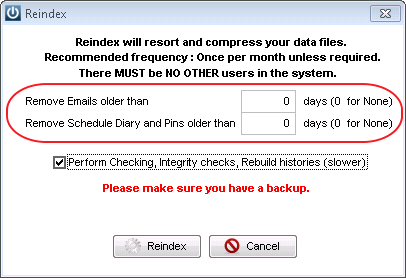
It is recommended that a reindex is performed on your system once a month, this is available under Admin / Reindex
Emails
While this is being done, use the option to remove Emails, these attachments form part of the back up and if not purged can rapidly increase the size.
Emails can also be Purged from the Queued Email screen by using the Purge Sent button. This will remove all emails and their attachments.
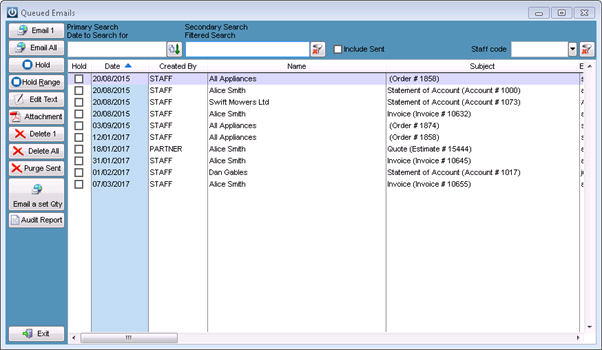
If the emails have been removed, there is still a report which will show Invoices and Statements that have been sent to your Customers.
In version 8.427 there is an option in Admin / Manage Email Defaults to keep the email attachments see this article for instructions.
Documents and Images
If you are saving Documents or Images, into the various points in the program, should be backed up. If using the Supplier Electronic Invoices, this will include these too.
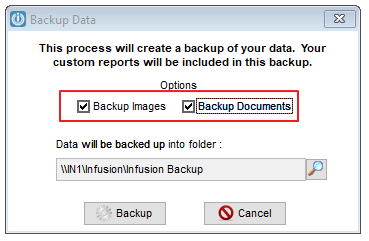
When running the backup tick to include either Documents or Images or both.
Tag: Purging emails
Comments
0 comments
Please sign in to leave a comment.