Error 1426
OLE 0x800705af: The paging file is too small for this operation to complete
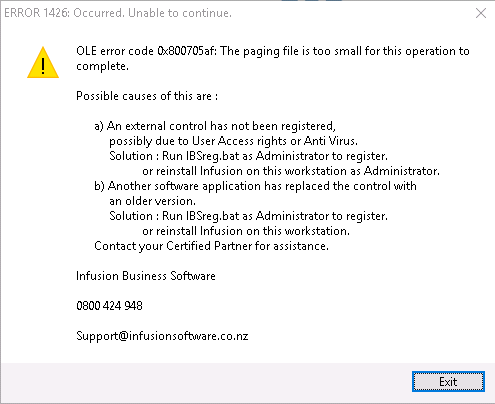
The screen shot shows the possible causes of this are:
An external control has not been registered, possibly due to User Access rights or Anti Virus.
Solution: Run IBSreg.bat as Administrator to register or reinstall Infusion on this workstation as Administrator.
b) Another software application has replaced the control with an older version.
Solution: Run IBSreg.bat as Administrator to register or reinstall Infusion on this workstation as Administrator.
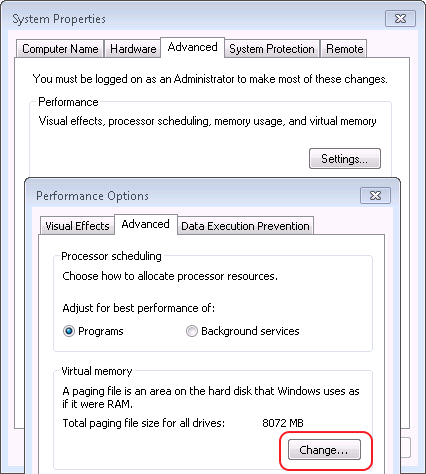
To repair this error it was necessary to go to My Computer / System Properties / Advanced System Settings / Advanced Tab / Performance - Settings and this will open a new screen. Select Advanced and down to Virtual Memory, change the custom size
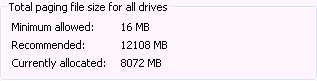
The paging size can be very large, an example is below
For these changes to take effect it is necessary to restart the computer.
Comments
0 comments
Please sign in to leave a comment.