Error 26
Module OGET.INT
Line#: 38
Message: Table has no index order set
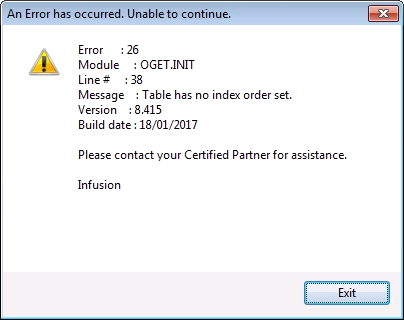
Error appears right after the user logs in.
The index of a table needs to be re-created (CDX file), however the error does not specify which table it is.
The problem is with one of the files the software opens at log in (with the exception of INFDATA and INFFLAGS because they do not have a CDX file).
These files are:
INFDATA
INFFLAGS
GSTCODES
CUSTRATE
PRODUCTS
STAFF
PRODBC
PRODXTRA
CUSTOMER
SUPPLIER
If you receive the error log emails from your customer or if Infusion receives them, you may be able to see in the log which of these files is causing the issue:

If you do not have the error log and before this error came up a reindex was attempted and it failed with error 41 on one of the tables listed above, chances are that is the table for which you need to recreate the CDX file.
Otherwise, recreate the CDX file for all the tables above except INFDATA and INFFLAGS.
After the re-creation of the CDX files, log back in and run a reindex from the Admin menu.
To re-create the CDX file in command mode, please refer to Error 2066 Repair
Comments
0 comments
Please sign in to leave a comment.