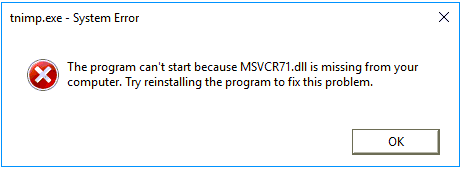
On some occasions the MSVCR71.dll and the MSVCP71.dll files may no longer be available for use. It is recommended that they are replaced with the same .dll files from a new install to ensure they are not corrupted in any way.
Utility Errors
If the user is running an additional Infusion Utility like the Contract Rate Import Utility, it will show the tnimp.exe error as above. These files need to be in the DATA folder, as well as the Utility subfolder to make the utility run.
Infusion Folder
When doing a standard task in Infusion and the error appears, delete and replace the MSVCR71.dll and the MSVCP71.dll in the Infusion Folder.
Restart the computer and reinstall the workstation. If the error persists manually register the file.
Comments
0 comments
Please sign in to leave a comment.