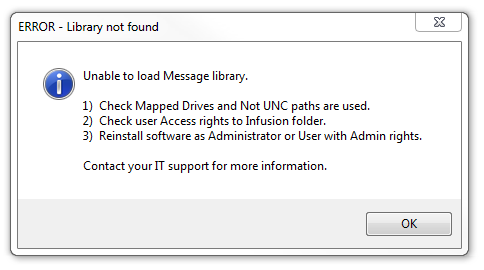
Error - Message "Library Not Found" or "Unable to load Message library"
In most cases you will need to only re-install Infusion on the workstation.
Follow the instructions in the error message:
- Check Mapped Drives and not UNC paths are used.
- Check user access rights to the Infusion folder.
Is there another message following this one? That may point you in the right direction.
Ask the user:
Do they have an outside programme running with Infusion eg Web Ninja or NZ Courier Interface?
What Windows operating system are they running?
Example Client had NZ Courier Interface and Windows did an update, two computers were XP and got this message, stopped the interface and that cleared the error. The update did not hit the XP computers, thus causing the error. Those computers will need to be updated to run Infusion.
Try installing Infusion to a brand new path as a last resort.
Comments
0 comments
Please sign in to leave a comment.