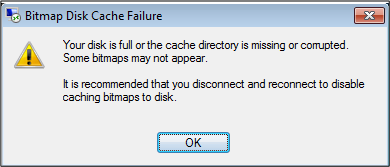
This message appears as soon as I am connecting to a RDP session, "Bitmap Disk Cache Failure" what do I do?
This error can be ignored, but it can cause the POS screen or others in the Software to freeze.
On the users computer: Log out of all RDP sessions Go to C:\<Username>\AppData\Local\MicrosoftTerminal Server Client\Cache Delete everything in that folder
Comments
0 comments
Please sign in to leave a comment.