This error message appears when clicking on the Infusion icon on the desktop.
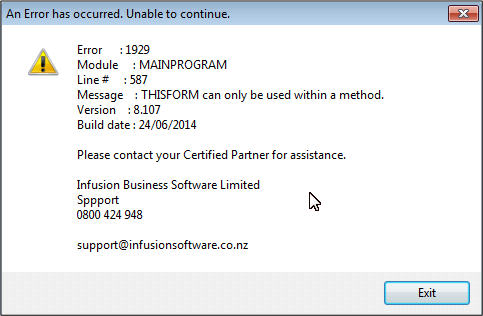
To clear out the Error you need to right click on the icon and open properties. Where DATA appears after ibsmain.exe delete it on all workstations. You will then be able to open Infusion.
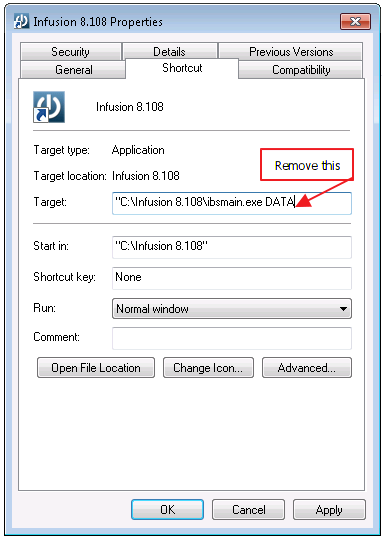
This happens in tandem with the back up message not completing, clear out the message and run the back up if the Client requests this. The DATA suffix can then be added back to the shortcut.
Comments
0 comments
Please sign in to leave a comment.